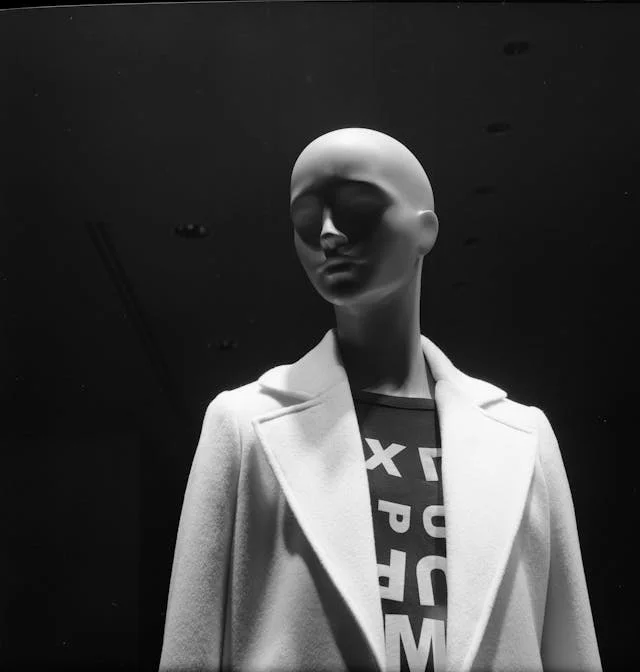
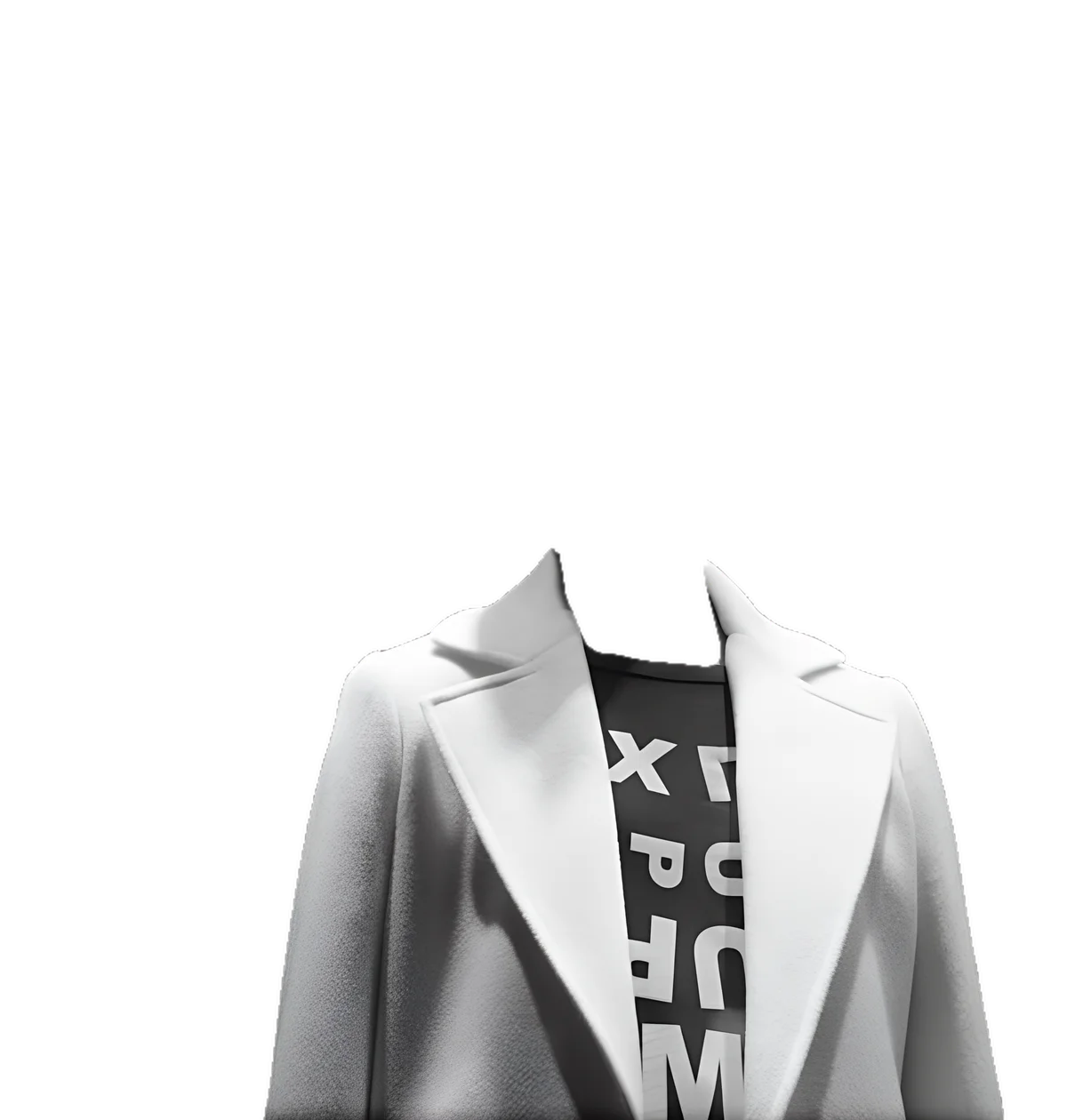
The ghost mannequin (or invisible mannequin) effect shows a garment holding its shape with no model or mannequin visible inside. Click the mannequin and the AI selects it, removes it, fills the interior with realistic fabric, strips the background, and upscales the result — a complete apparel pipeline in one job, for single garments or full catalog runs.
Quick answer
The ghost mannequin (or invisible mannequin) effect shows a garment holding its shape with no model or mannequin inside. EnhanceCraft selects the mannequin, removes it, fills the neckline and openings with realistic fabric, strips the background, and upscales the result — a complete apparel pipeline in one job for single items or full catalogs.
One job
Remove, fill, cut out, and upscale
4x
Upscale built into the pipeline
25 credits
Free to try with an account
Before
After
Want more proof? See before & after results for every tool.
Produce the clean, model-free product look that fashion marketplaces and brand stores expect, without hiring a model for every garment.
Turn simple mannequin or hanger shots into professional ghost-mannequin images that make listings look like a designer label.
Skip the manual two-shot compositing in Photoshop — the interior fill and cut-out happen automatically in one pass.
Batch-process a season’s worth of garments into a consistent invisible-mannequin set ready for the online store.
You can try it with a free account — sign up to get 25 credits. It runs a multi-step pipeline (mannequin removal, interior fill, background removal, upscale), so it uses credits rather than the anonymous daily quota.
Click directly on the mannequin body — not the garment — and the AI selects its shape automatically. Use right-click to refine the selection and exclude garment areas.
Yes. The pipeline fills the interior — neckline, cuffs, and openings — with AI-generated fabric so the garment looks like it is being worn by an invisible body.
Batch mode applies one shared mask to all images, which works best when the mannequin position is consistent across the shots.