An overcast or blown-out sky makes an otherwise great exterior shot look flat. Sky Replacement detects the sky with AI and replaces only that region — rooflines, trees, and the building are kept exactly as shot — then harmonises the foreground so the photo reads as one natural scene. Choose a clear blue, partly cloudy, golden hour, or dramatic sky to suit the property.
Quick answer
Sky replacement swaps a dull, grey, or blown-out sky for a clean one. EnhanceCraft uses an AI sky mask to isolate only the sky, so the building, rooflines, and trees stay pixel-for-pixel, then regenerates the sky in your chosen style — clear blue, partly cloudy, golden hour, or dramatic — and harmonizes the foreground so it reads as one natural scene.
4 styles
Clear blue, partly cloudy, golden hour, dramatic
Auto-detect
AI finds the sky region
Free
No credit card required
Before
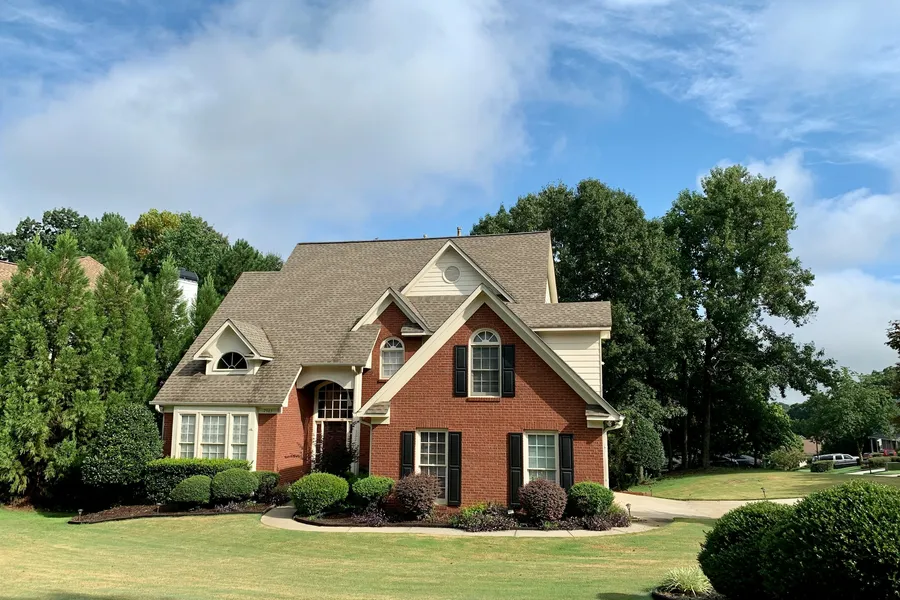
After
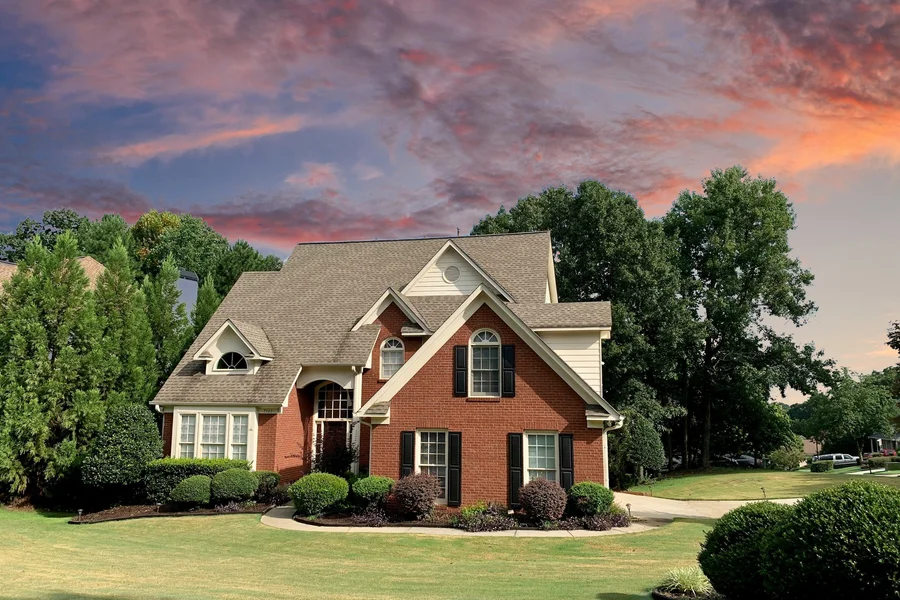
Want more proof? See before & after results for every tool.
Rescue exterior shoots taken under grey skies without a reshoot — drop in a clean blue sky in one step.
A bright, attractive sky makes a listing photo far more appealing to buyers scrolling a portal.
Show the property at its best with a welcoming sky instead of a flat, overcast backdrop.
Apply one consistent sky across an entire property set for brochures and online listings.
You can run Sky Replacement on 2 images per day free without an account. Create a free account to get 25 credits and remove the watermark.
No — an AI sky mask isolates only the sky, so the building, rooflines, and trees are restored pixel-for-pixel. Only the sky region is regenerated.
Clear blue is the safe all-purpose choice; golden hour adds warmth for premium listings; dramatic works best on wide establishing shots with lots of visible sky.
For the best result use the original, unedited photo. Heavy HDR already baked into the sky can reduce mask accuracy.