Interior real estate photos almost always blow out the windows — the garden, sky, and street disappear into pure white. Window Pull auto-detects those overexposed window regions and uses AI to synthesise a realistic exterior view through the glass, the way an HDR bracket or flash composite would. Choose a garden, city skyline, or open sky to suit the property.
Quick answer
Window pull recovers the view through blown-out, overexposed windows in interior photos. EnhanceCraft auto-detects the white window regions and synthesizes a realistic exterior — garden, city skyline, or open sky — the way an HDR bracket or flash composite would, making interiors look bright and the view sell the room.
3 views
Garden, city skyline, or open sky
Auto-detect
Finds blown-out window regions
Free
No credit card required
Before
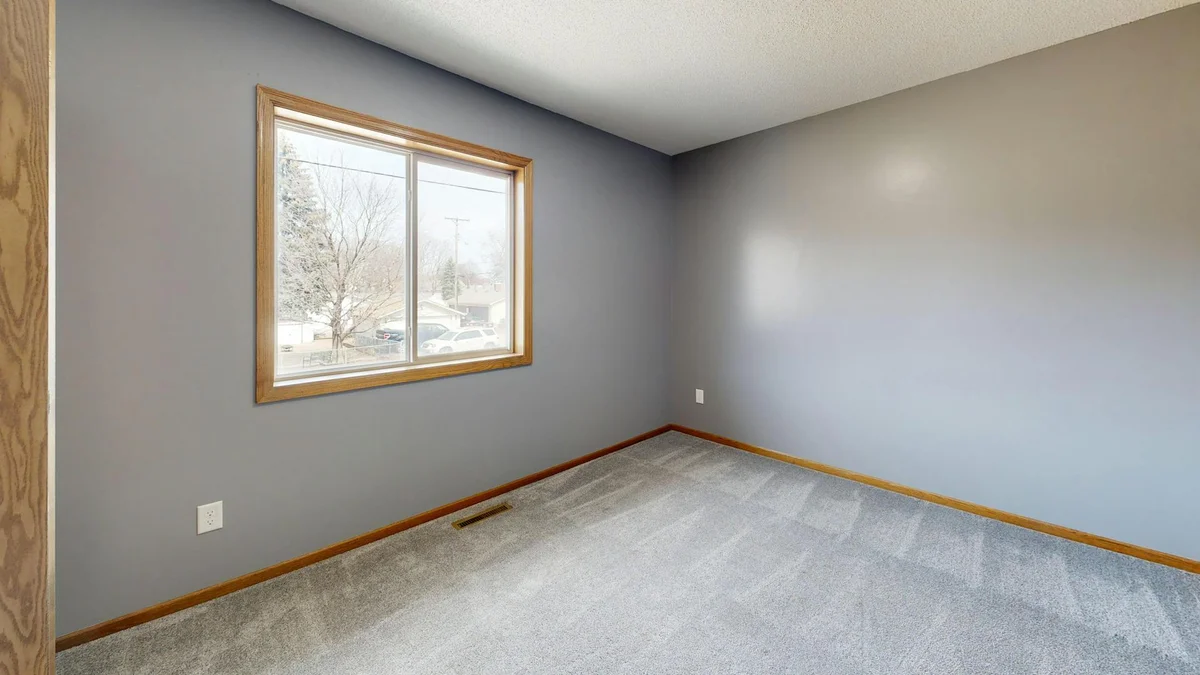
After
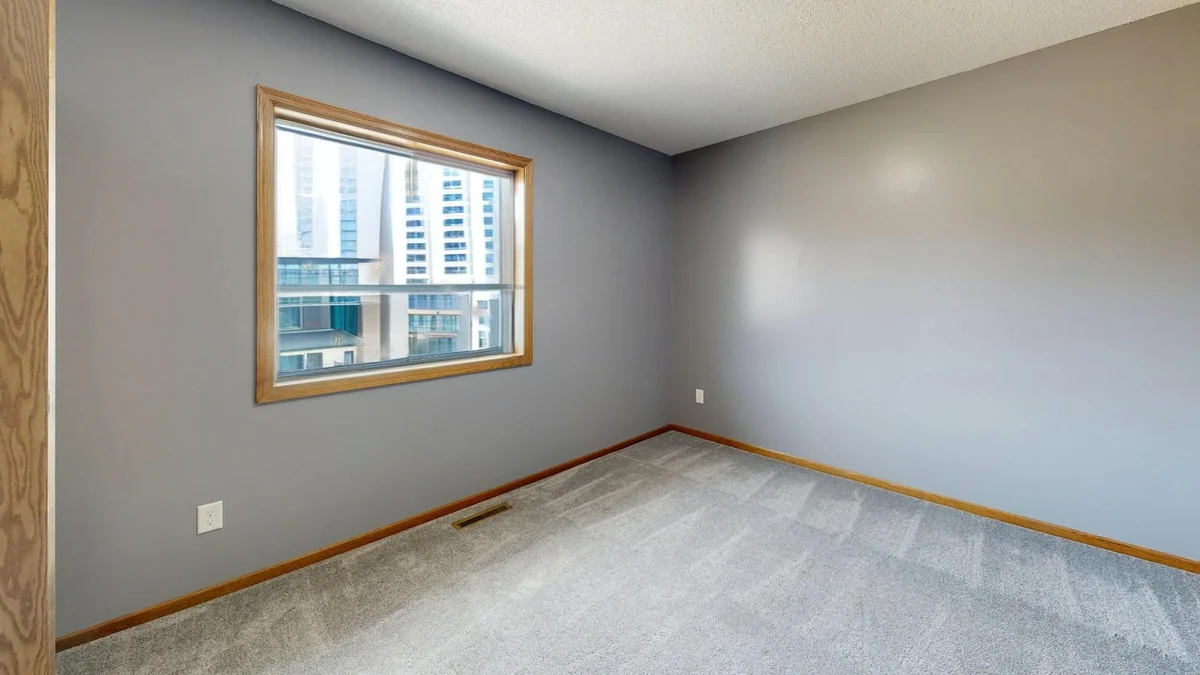
Want more proof? See before & after results for every tool.
Skip the flash-and-bracket window-pull workflow in Photoshop. Recover the exterior view in one step so interiors look bright and the view sells the room.
Turn a white rectangle into a green garden or a city skyline — a recovered view makes a listing photo far more appealing to buyers scrolling a portal.
Showcase the view guests will actually wake up to instead of a featureless blown-out window in your listing gallery.
Apply a consistent, attractive window treatment across an entire property set for brochures and online listings.
You can run Window Pull on 2 images per day free without an account. Create a free account to get 25 credits and remove the watermark.
Start with Detection Sensitivity around 0.7 and lower it if bright non-window areas — lamps or white walls — are being altered.
Garden view suits suburban and residential homes; sky view gives the cleanest result for modern, minimalist interiors; city view fits apartments and urban listings.
For the best result use the original, unedited photo. Heavy HDR processing already applied to the windows can confuse detection.