Empty rooms are hard to sell because buyers struggle to picture living there. Virtual Staging furnishes an empty room with realistic, perspective-correct furniture in one click. Choose the room type and a design style and the AI adds furniture that sits naturally in the space while keeping the walls, windows, and doors intact. Every result carries a discreet "Virtually Staged" label so your listing stays compliant.
Quick answer
Virtual staging furnishes an empty room with realistic AI-generated furniture. EnhanceCraft segments the room so the furniture sits in correct perspective while the walls, windows, and doors stay intact. You pick the room type and design style, and every result includes a "Virtually Staged" label by default for listing-disclosure compliance.
5 rooms
Living, bedroom, dining, office, kids
6 styles
Modern, Scandinavian, coastal, and more
Compliant
"Virtually Staged" label included
Before
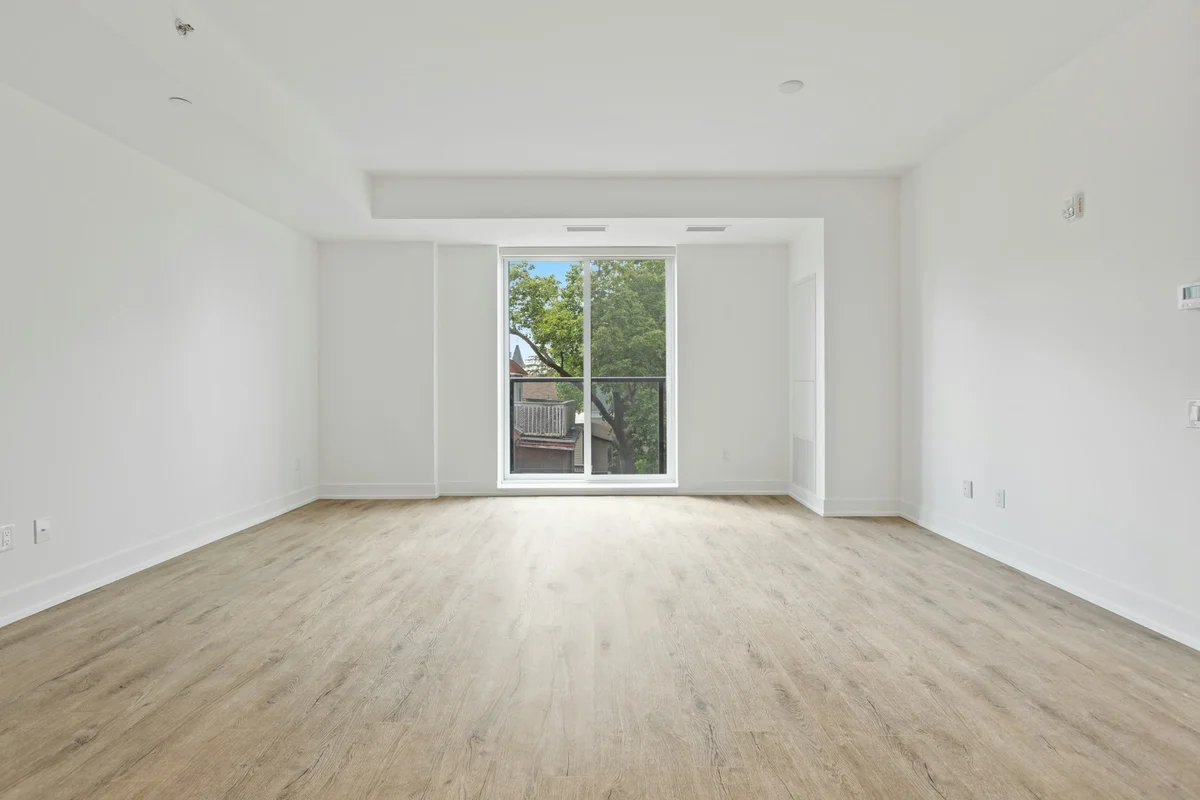
After
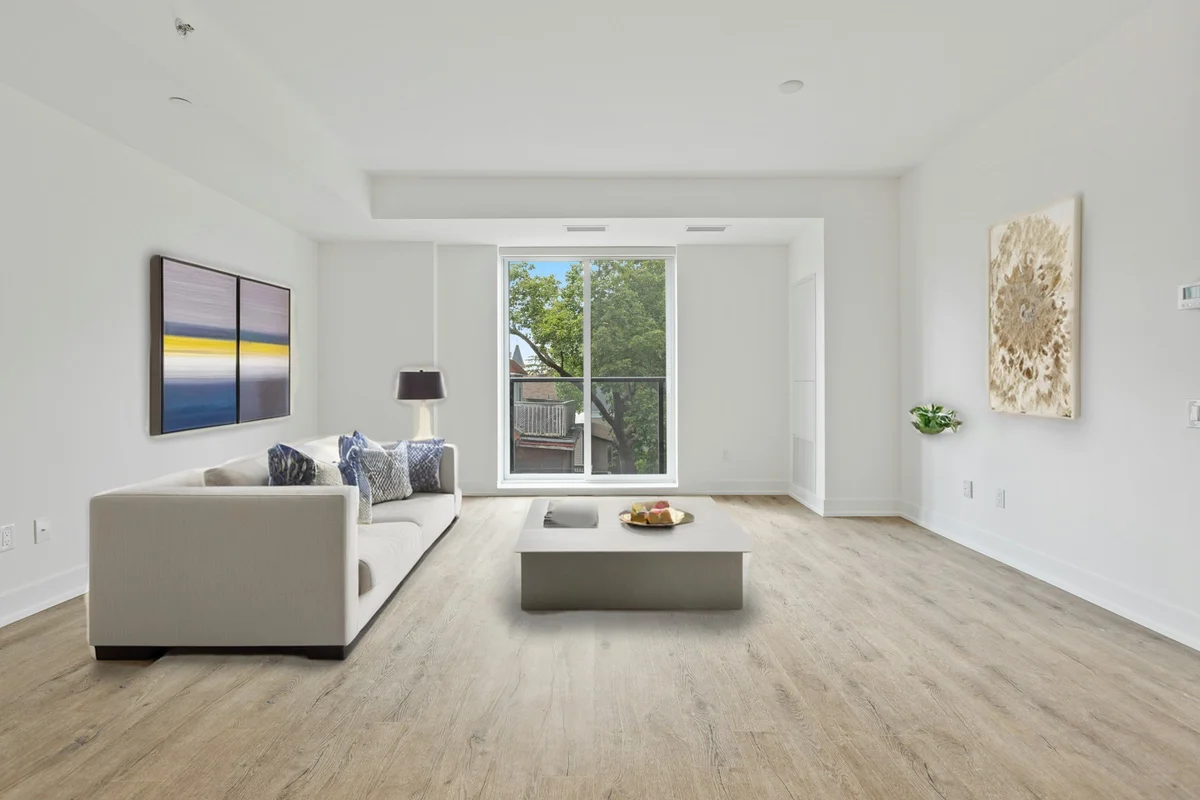
Want more proof? See before & after results for every tool.
Help buyers picture living in a vacant property without paying for physical staging.
Offer staging as an add-on service without hauling furniture to every shoot.
Show furnished interiors for units that are still empty or under construction.
Make an empty rental look move-in ready and inviting in listing photos.
You can stage 2 images per day free without an account. Create a free account to get 25 credits and remove the EnhanceCraft watermark.
No — the room is segmented and the AI keeps the architecture in place. Windows and doors are restored pixel-for-pixel; only furniture and decor are added.
Most MLS and realtor boards require disclosure that photos are virtually staged. This tool adds a "Virtually Staged" label to every result by default to help you stay compliant.
This version is built for empty rooms. For best results, photograph the room cleared of existing furniture.