AI Anime Upscaling: Perfect 4x Enhancement for Manga and Illustrations in 2026
Learn how to upscale anime, manga, and illustrations 4x with AI built for line art — sharp edges and clean flat colors where photo upscalers smear them.
Munib Ali Laghari
Founder & Lead Developer
Quick answer
What does "upscale" mean in anime?
It usually means showing a picture or video at a higher resolution than it was made at — a 720p frame shown at 1080p, or a DVD-era show released on Blu-ray — with software filling in the new pixels. (Power-scaling fans also use it for rating a character stronger.) For anime art, an upscaler trained on line art keeps outlines crisp where photo upscalers blur them.
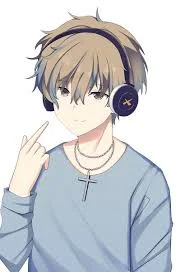
Before
After
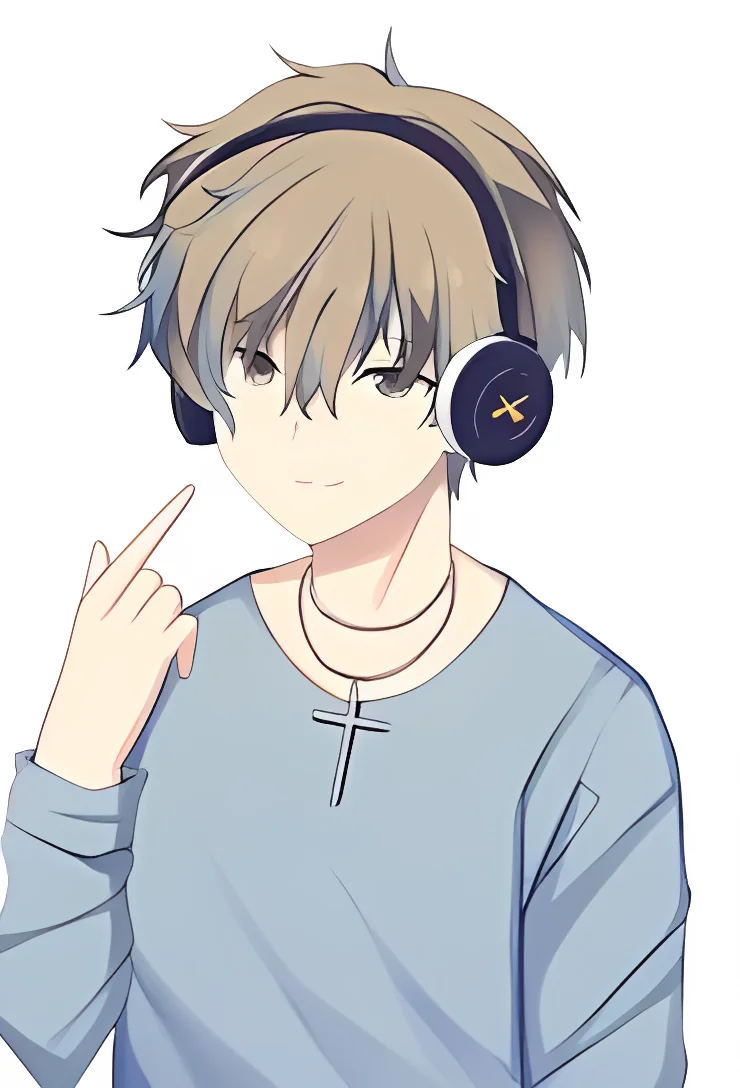
More examples like this: browse before & after results across every tool.
You've found the perfect anime screenshot for your desktop wallpaper—except it's only 800 pixels wide and looks pixelated when stretched across your 4K monitor. Or you're digitizing a beloved manga collection from the 1990s, but the scans are low-resolution and look terrible when you try to enlarge them. Maybe you've downloaded fan art or vintage anime frames that are frustratingly small, and you need them at a higher resolution without losing the crisp lines and vivid colors that make anime art special.
Traditional upscaling methods are a disaster for anime and manga. Standard AI upscalers are trained on photographs, so they treat anime art like real-world images. The result? Line art bleeds and becomes fuzzy. Sharp edges turn soft and blurry. Vibrant flat colors get muddy with unwanted texture. Cell-shaded areas develop strange gradients. The clean, precise aesthetic that defines anime artwork is lost.
An upscaler trained on anime, manga, and illustration styles avoids this, because it learned how these art forms are built and keeps what makes them look clean. (Working with regular photos instead? AI image upscaling is the right tool for those—anime just needs a model trained on its own rules.)
What Does "Upscale" Mean in Anime?
In anime, "upscale" usually means showing a picture or video at a higher resolution than it was made at—a 720p frame displayed at 1080p, or a DVD-era show released on Blu-ray—with software filling in the extra pixels. Fans also use the word in power-scaling debates, so here are both meanings.
The power-scaling meaning. In "who would win" debates, an upscale means rating a character as stronger than their own feats show. That happens either because they beat someone who did something huge, or because the anime adaptation animated a fight as bigger and more destructive than the manga drew it. It's a fandom argument, not an image question. The rest of this guide is about pixels.
The resolution meaning. An upscale takes an image with fewer pixels and produces one with more. A 1280×720 frame has about 0.9 million pixels; a 1920×1080 frame has about 2.1 million. Software has to decide what goes in the roughly 1.2 million new ones. Simple resizing blends neighboring pixels, which looks soft. AI upscalers predict detail from what they learned in training, which looks sharper—but some of that detail is a well-informed guess, not something recovered from the original.
Upscaled, Native, or Remastered: What a Release Label Means
When fans call a Blu-ray "an upscale," they mean the disc holds more pixels than the master it was made from. That isn't automatically bad. It depends on the source:
| Release type | What it's made from | What to expect |
|---|---|---|
| Native HD | Finished at the disc's resolution | The sharpest version; nothing is invented |
| Film rescan (remaster) | Older cel anime shot on 16mm or 35mm film, scanned again at high resolution | Can reveal real extra detail, though 16mm shows often hold little more than the DVD did |
| Upscale of a lower-resolution HD production | A show produced below 1080p, then scaled up for the 1080p disc or stream | The most common case for TV anime |
| Upscale of an SD master | A show painted and composited digitally at standard definition, so there's no film to rescan | Cleaner than the DVD, with little new detail; earlier digital titles fare worse |
| 4K release of a 1080p-or-lower show | The same master, enlarged again | An upscale by definition, whatever the box says |
Justin Sevakis's Answerman columns at Anime News Network explain why upscales are so common. Rescanning film-based anime is expensive, so "many content owners decide to just upscale the standard definition masters if they're decent" (What Does It Cost To Remaster A Classic Anime?, 2018). For digitally painted shows, the usual process is to re-capture the original Japanese video master tapes, restore the original frame rate, and scale the result to 1080p. Sevakis writes that "most digipaint anime can be upscaled fairly well and easily, particularly higher-budgeted titles produced after 2003 or so," while earlier digital titles usually don't look as good (Are "Upscaled" Blu-Rays Worth The Upgrade?, 2018). If the DVD already looked good, the Blu-ray mostly gains cleaner compression, not new detail.
Is Anime in 1080p or 4K?
Modern TV anime usually reaches you at 1080p, on Blu-ray or a streaming service, but much of it wasn't made at 1080p. Fan encoders, who work out a show's native resolution so they can reverse the upscale, start from the premise that "most anime are not native 1080p, but a lower resolution" (Descaling, guide.encode.moe). 4K anime releases exist, but unless a show was produced in 4K or rescanned from film, its 4K version is a further upscale.
Can You Upscale Anime Video?
Yes, but it's a different job from upscaling a still image. A video upscaler has to keep every frame consistent with the next one, or lines shimmer and textures crawl as the scene plays. For sharper playback, people usually use real-time upscaling shaders that run inside media players such as mpv, or dedicated video-upscaling apps.
EnhanceCraft works on still images: screencaps, wallpapers, fan art, and manga pages. To get a sharper still from an episode, grab the frame from the best source you have, then upscale that one frame.
The Anime Art Problem: Why Standard Upscaling Fails
Standard upscaling fails on anime because models trained on photographs interpret sharp outlines as edges to soften and flat colors as textures to add grain to — destroying the crisp lines and solid color blocking that define anime aesthetics. Specialized AI trained on anime and manga learns what "high quality" means for this art style.
Anime and manga have a fundamentally different visual structure than photographs. While photos are all about continuous tones, natural textures, and organic details, anime art relies on precise line work, solid colors, sharp cel-shading, and clean edges. These aren't "simplified" versions of reality—they're carefully crafted artistic choices that define the entire aesthetic.
When you use a standard photo-trained AI upscaler on anime art, the algorithm doesn't understand these distinctions. It sees sharp black lines and thinks they're edges that need softening. It encounters flat colored areas and tries to add photographic texture. It finds cel-shaded regions and attempts to create smooth gradients. The AI is doing exactly what it was trained to do—make images look more photographic. But for anime and manga, that's exactly the wrong approach.
The damage shows up in the details people care about most. Character outlines lose their crisp definition. Eyes—the expressive focal point of anime characters—turn muddy. Hair strands that should be distinct blur together. Backgrounds built on precise line work look washed out, and manga panels lose the clarity that keeps lettering readable.
How Specialized AI Preserves the Anime Aesthetic
An anime-trained upscaler keeps the look because it learned from anime-style images instead of photos. It treats outlines as lines to keep crisp and flat fills as areas to keep flat, then predicts detail at 4x the size without adding photographic grain.
In practice, that changes four things:
- ●Lines. Outlines, eyelashes, and hair strands stay defined at the larger size instead of picking up halos or smearing into their surroundings. Panel borders and speed lines keep their edges.
- ●Color. Flat fills stay flat, without the noise or texture a photo model adds. Cel shading keeps its stepped bands, and gradients that were in the original stay smooth.
- ●Effects. Glows, impact bursts, and motion lines keep their punch instead of dissolving into blur.
- ●Screentone. The dot patterns manga uses for shading have a much better chance of surviving than with a photo upscaler, which tends to read them as noise. The limit is the scan itself: if the dots were smaller than a pixel or two when the page was scanned, they were never captured, and no upscaler can bring them back. Check tone-heavy pages at 100% zoom.
What You Get: Sizes, Limits, and Why It's 4x Only
EnhanceCraft's anime upscaler always enlarges by 4x: each side becomes four times longer, so the image holds 16 times as many pixels. It accepts JPG, PNG, or WebP, returns a PNG, and costs 2 credits per image.
- ●Example sizes: 500×500 becomes 2000×2000. An 854×480 screencap becomes 3,416×1,920. A 1280×720 frame becomes 5,120×2,880, more than enough to fill a 4K screen.
- ●Input limits: free accounts can upscale images up to 5 megapixels with this tool (a full 1920×1080 frame is about 2.1 MP), with files up to 25 MB. Paid plans allow larger images and files up to 50 MB.
- ●Download size: free accounts download results at up to 1,200 pixels on the long edge. Paid plans get the full 4x file.
- ●Watermark: you can try it without an account, but signed-out results carry a watermark. Every signed-in account, free included, gets clean output.
Why no 2x or 8x setting? The tool runs one anime-trained model built for 4x. That's a useful middle ground: enough to turn a 720p frame into something that fills a 4K display, without asking the model to invent far more detail than it can reasonably reconstruct. (For photos, where 2x and 8x are both available, our 2x vs 4x vs 8x guide breaks down exactly when each one makes sense.)
How the Model Works
It's a single neural network trained on anime-style images, run once over your picture. There are no separate stages for edge detection or color analysis. During training, the model learned how outlines, flat fills, and shading should look at higher resolution, and it predicts all of that in one pass. That's also why it's the wrong tool for photos: it applies anime rules to everything it sees.
Getting the Best Results
Start from the highest-quality source you have. The AI upscales whatever you give it, artifacts included, so more real information in means a better result out.
For screenshots, a frame from a Blu-ray usually beats the same frame from a stream, which usually beats a DVD. If the Blu-ray is itself an upscale of an SD master (see the table above), its frame will still tend to be cleaner than the DVD's, but it won't hold much more real detail. For manga, scan at the highest DPI your scanner supports before upscaling. Save digital illustrations as PNG rather than heavily compressed JPEG.
The anime upscaler works best on:
- ●Digital anime frames, from modern shows or digitized classic cel animation
- ●Manga and comic scans, including screentone pages
- ●Anime-style digital illustrations and fan art
- ●Pixel art with anime characters, if the chunky pixel look isn't the point
Some content is a poor fit. Pixel art meant to look blocky, like retro game sprites, may look better with different processing. Painterly, photographic backgrounds can come out looking flattened, so they may suit a photo upscaler better. Heavily compressed images with severe artifacts should go through an AI image denoiser before upscaling. 3D-rendered anime-style art sits in an awkward middle ground between anime and photographic treatment.
Common Use Cases That Benefit Most
Anime Screenshot Collections
Building a library of anime wallpapers, reference images, or favorite scenes becomes practical. Instead of hunting for rare high-resolution versions, you can upscale what you find. A character close-up from a 720p episode becomes a 5,120×2,880 image at 4x (full size on paid plans), big enough for a 4K desktop.
Manga Digitization and Preservation
Personal manga collections deserve archival-quality digital versions. Scanning your physical manga and upscaling the scans creates readable digital libraries, and old manga with degraded print quality can be cleaned up. Fan translation projects working from old, low-resolution scans with JPEG artifacts should denoise first, then upscale, so the artifacts don't get enlarged with the art. Because black-and-white pages have their own demands — chiefly screentone, the halftone shading that photo-trained upscalers read as noise — a model tuned for line art is the right starting point; the free manga and anime upscaler handles panels, pages, and scans.
Content Creation and Social Media
Creating anime-related content requires sharp, clear images. YouTube thumbnails need to look crisp at 1280x720 or higher. Instagram and X posts benefit from visuals that stand out in crowded feeds. If you pull frames from 720p sources for video essays or thumbnails, running each frame through a 4x upscale before you edit means it won't look pixelated on a 1080p or 4K screen.
Fan Art and Creative Projects
Artists working with anime references benefit from clear, detailed source material. Traditional artists who scan their work get better digital versions. Collaborative fan projects can keep a consistent resolution across contributors. Print products like stickers, posters, or art books need high-resolution files; for print sizes, our guide to upscaling images for print explains how many pixels you need.
Saving and Combining with Other Tools
PNG is ideal for anime and manga because it's lossless and handles sharp edges perfectly. If file size matters, high-quality JPEG (95-100%) works reasonably well for anime, since much of the image is flat color rather than complex texture. Avoid low-quality JPEG compression—you didn't enhance your images just to destroy them with compression artifacts. For images with transparency (like character cutouts), use PNG or WebP. The free image converter switches between formats after you upscale.
Anime upscaling works best as part of a short workflow. If your source images are noisy or have compression artifacts, run denoising first. The upscaler enlarges noise and artifacts along with the art if you leave them in.
For manga scans with dust, scratches, or printing imperfections, consider selective inpainting to clean problem areas before upscaling. Small defects that are barely visible at low resolution become obvious at 4x, so addressing them first yields cleaner final results.
After upscaling, you might want web-optimized copies. A 2000x2000 PNG is perfect for archival, but a compressed JPEG or WebP loads faster on a website; our guide to image optimization for the web covers the trade-offs.
If a page mixes line art with photographic elements, the anime upscaler can make the photo parts look painted. For those, run a copy through the general AI image upscaler and combine the two versions in an image editor.
Ready to Enhance Your Anime Collection?
Upload an anime screenshot, manga page, or illustration to the free anime and manga upscaler and check the result at 100% zoom. Each image costs 2 credits. A free account gets 25 credits to start—enough for 12 anime upscales—then 10 every month, with no card required.
Upscaling photos instead of art? Use the general AI image upscaler, or compare your options in our guide to the best AI image enhancers.
Found this helpful?
Share it with your network
Ready to try it yourself?
25 free credits to start, then 10 every month. No credit card. Process your first image in under 15 seconds.
Try Anime Upscaler freeMunib Ali Laghari
Founder & Lead Developer · EnhanceCraft
Munib Ali Laghari is the founder and lead developer of EnhanceCraft, an AI image toolkit. He writes about AI upscaling, photo restoration, and background removal. Connect on LinkedIn